Keep Miami Moving
What is a Smart Loading Zone and What is Their Purpose
A Smart Loading Zone is a digitally-managed curbside space designed to:
- Make commercial loading and unloading faster and more efficient in high-traffic areas.
- Reduce traffic congestion.
- Increase pedestrian, bicyclist, and driver safety.
- Improve parking turnover.
- Reduce dwell time.
Where are the Smart Loading Zones located?
There are currently 16 loading zones citywide, in this program, with more gradually added in high-traffic areas across Miami.
How are Smart Loading Zones enforced?
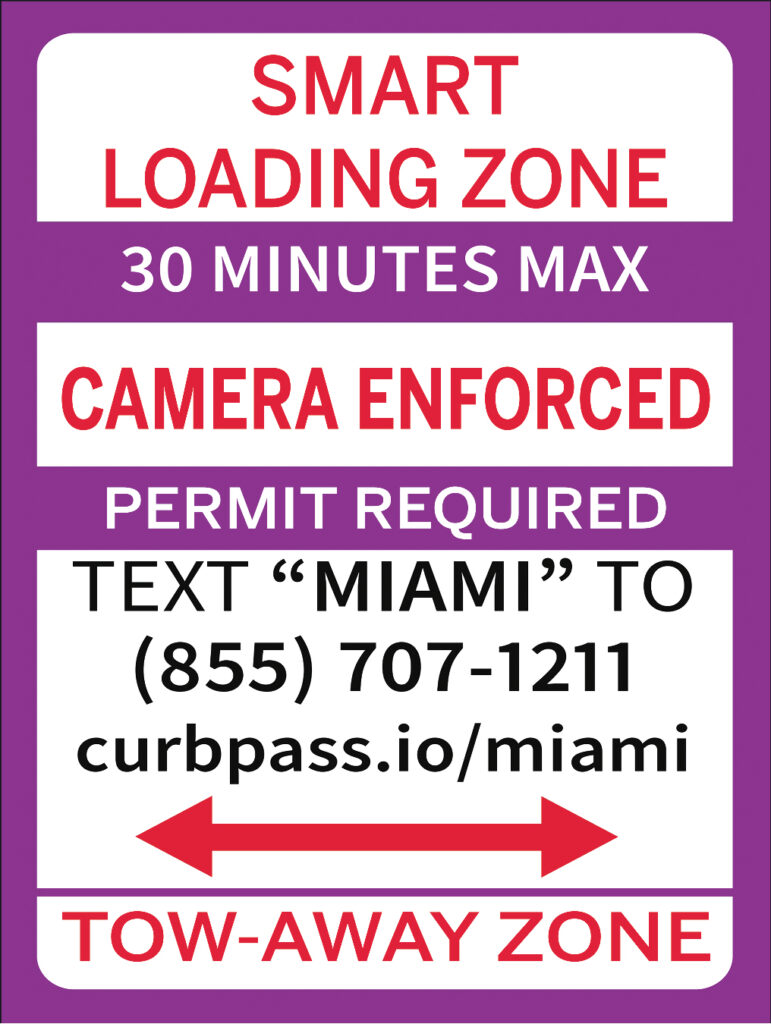
Smart Loading Zones use advanced sensor-camera technology that activates when you park, helping manage how long vehicles remain in designated loading areas. Curbs are painted purple and accompanied by clear Miami Parking Authority signage. Commercial drivers must register at CurbPass.io or by texting “MIAMI” to (855) 707-1211, apply for a free Smart Loading Zone permit, and receive approval for a qualifying commercial vehicle displaying the appropriate commercial decal or designation before using the zone. Approved users must also add funds to their CurbPass wallet or maintain a valid payment method to pay for zone usage.
Time Limits and Citation Enforcement
Vehicles may remain in a Smart Loading Zone for a maximum of 30 minutes. Vehicles that exceed the 30-minute limit may receive a parking citation. Vehicles that double park, obstruct a travel lane, or stop outside the designated zone may also be cited. If a Smart Loading Zone invoice is not paid within 30 days, the unpaid invoice may result in the issuance of a parking citation.
How do Smart Loading Zones work?
A Quick Look at CurbPass: Video
Step 1: Register with CurbPass
Create your CurbPass account at CurbPass.io or by texting “MIAMI” to (855) 707-1211.
Step 2: Apply for a Smart Loading Zone Permit
After registering, apply for a free Smart Loading Zone permit through CurbPass.
Please note:
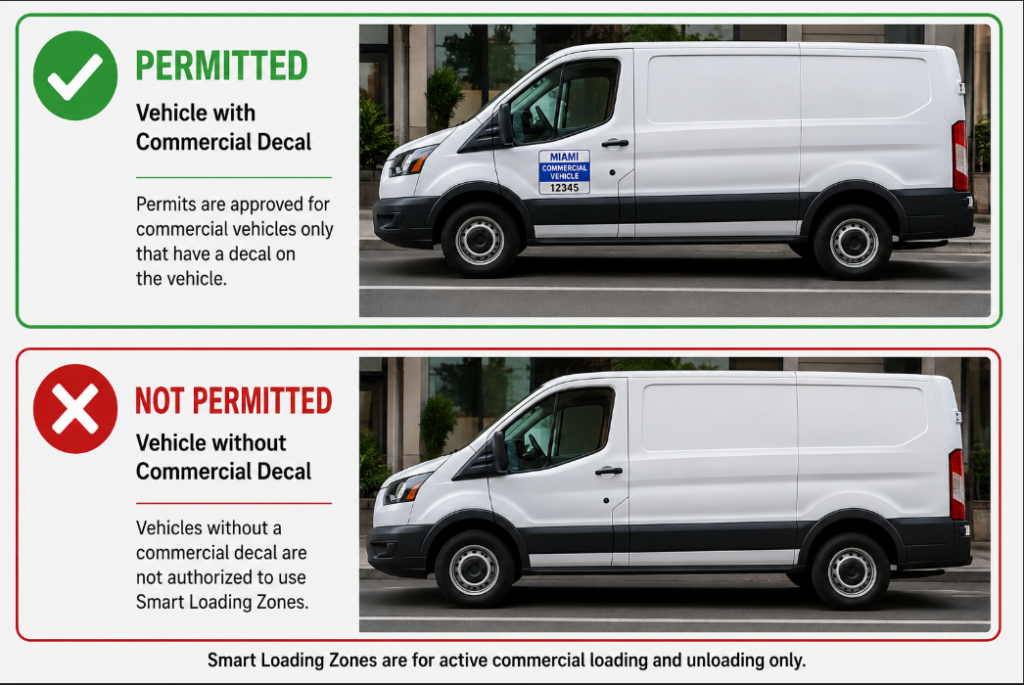
Permits are approved for commercial vehicles only (per Miami-Dade Ordinance 8A-276) and must be associated with a qualifying commercial vehicle displaying the appropriate commercial decal or designation.
Step 3: Add Funds to Your Wallet
Once your permit is approved, add funds to your CurbPass wallet for seamless payment during zone use.
Step 4: Find a Smart Loading Zone
Look for purple curb markings and Miami Parking Authority signage at 16 citywide Smart Loading Zone locations.
Step 5: Park, Deliver or Pick Up, and Move On
Use the Smart Loading Zone for active loading and unloading only. You pay only for the time used, billed per minute, for up to 30 minutes.
Step 6: Stay Informed
Receive alerts and notifications when your session is nearing its maximum allowable time.
Prioritizing Privacy
The technology is surveillance free. That’s why each Smart Loading Zone sensor-camera is designed to ensure it saves only the information it needs.
Each sensor-camera only captures:
- Vehicle license plate
- Length of stay for payment purposes
These sensor-cameras are not intended to collect, transmit, share, or store personally identifiable information other than facilitating payments and citations. The full privacy policy is available at Automotus.co/privacypolicy
Learn more
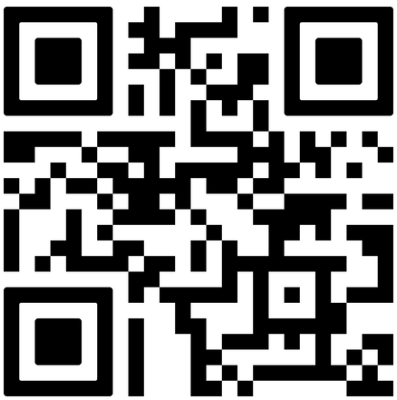
Visit CurbPass.io/miami for additional details and registration or scan the QR code to get started.
Ask questions or report issues at Miamiparking.com/report-an-issue
How do I register my vehicle?
You can register your vehicle at CurbPass.io/miami or by texting “MIAMI” to (855) 707-1211
How do I register Fleet Vehicles?
Instructions for registering fleet vehicles is available here.
Questions?
Contact the Command Center 24/7 at (305) 579-4900
Miamiparking.com/report-an-issue
Sample Signage and Zone Information
FEE SCHEDULE:
Pay for exactly the time used, not a minute more.
| 0-5 minutes | $0.00 |
| 5-15 minutes | $0.05 (up to $0.50) |
| 15-30 minutes | $0.16 (up to $2.90) |